Building a Personal Music Catalog in Antigravity
As we're cleaning out the basement one of my goals is to pair down some of my music collection. There's some amount of donations I want to do but mostly I want to catalog and then store my CDs in smaller sleeves. That lead me down a path to figure out what would be the best option for cataloging my music, both CD and vinyl, which led me to CLZ.
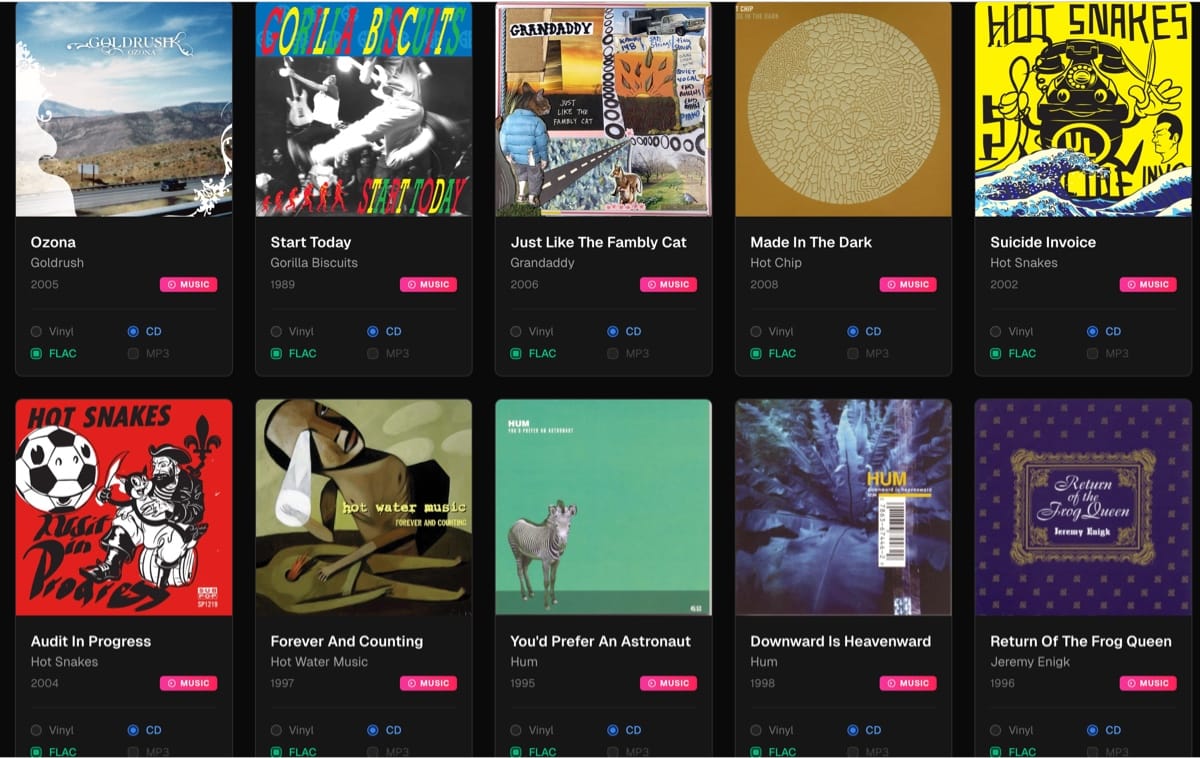
While looking a bit antiquated, the cataloging and scanning is insanely fast. I quickly started scanning in CDs, and when there was no bar code I could usually find it through their search. The CLZ Music Cloud website works well enough as a digital bookshelf and way to quickly go through what I've saved.
This is a great starting point but I want to know more of my personal catalog:
- What do I own on CD and/or Vinyl?
- Can I update my collection as I scan in more via CLZ?
- Is that album available for streaming on Apple Music? Could expand to other platforms later.
- Do I have a version of that in my digital collection? If so is it flac or mp3? If it's mp3 I'll want a higher quality version
- Can I update album art?
- Can I sync album ratings between Plex and my catalog
But how could I possible answer all that? I know, build a local tool using Google Antigravity! 🙂
(fwiw this is meant as a "quick" overview, not a detailed walkthrough of what has or hasn't worked)
Setup
Setup the project in Antigravity. Wrote up an overview describing what I was trying to build and used the Gemini Superpower setup, which is a specific workflow framework for Antigravity, to get it kickstarted. After running through a few of the agents I was up and running with a local skeleton version which was ready for CSV importing.
What Do I Own, How Can I Update My Collection
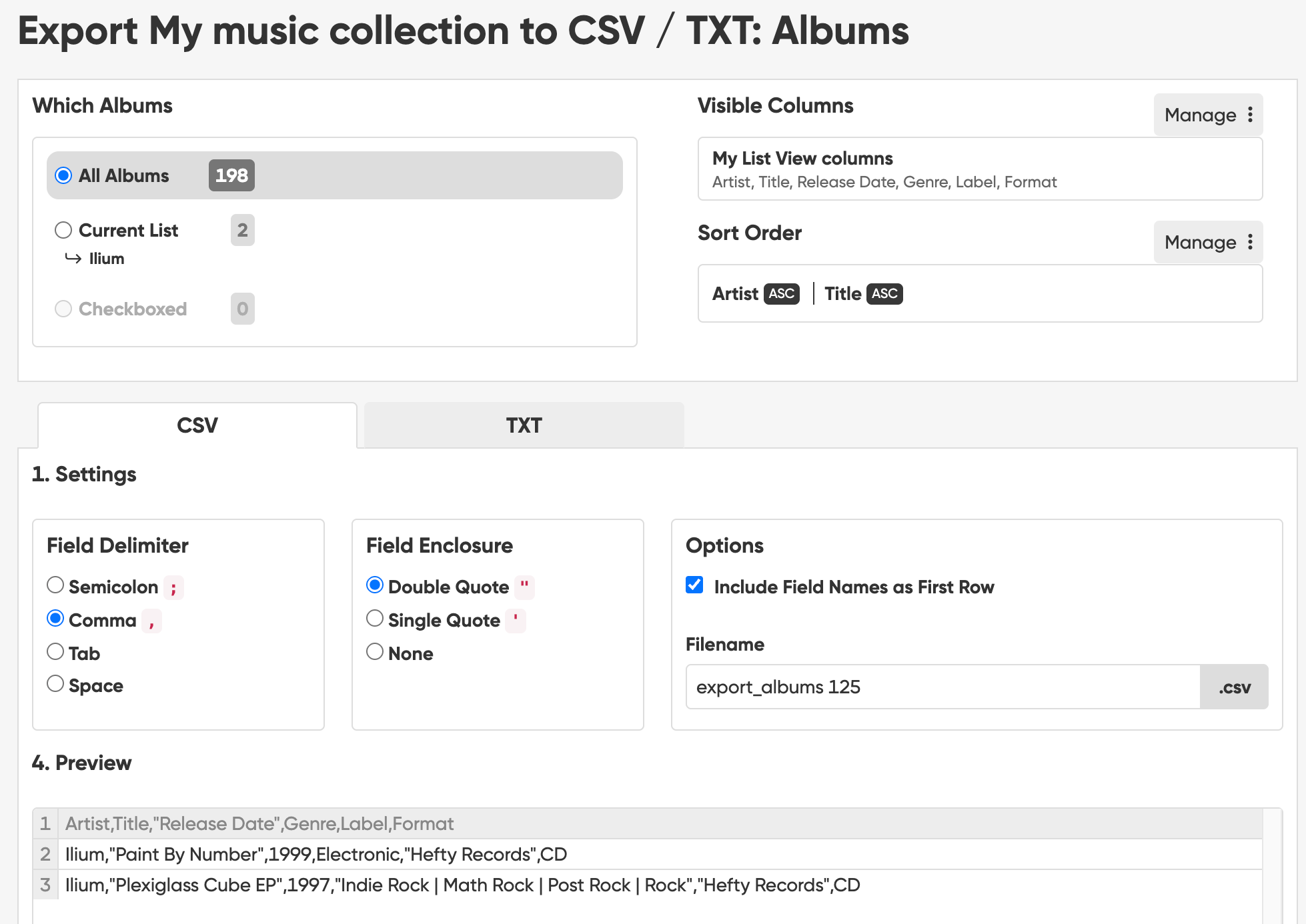
The what do I own is handled by logging in CLZ, that's the "easy" part. Luckily they have an export process in CSV where you can select what fields you want and additional controls. My catalog is pretty small as I just got started, and it was fairly straight forward for Antigravity to parse the information, setup an importer, and get the local catalog fired up with the information I requested, with room to grow of course.
This afternoon I plan on scanning in some more and importing that to see how it handles overrides, new additions, etc.
As I was reviewing this I realized that I could export via XML. Not sure if I should switch over to that in the future.
Is the Album Available for Streaming on Apple Music
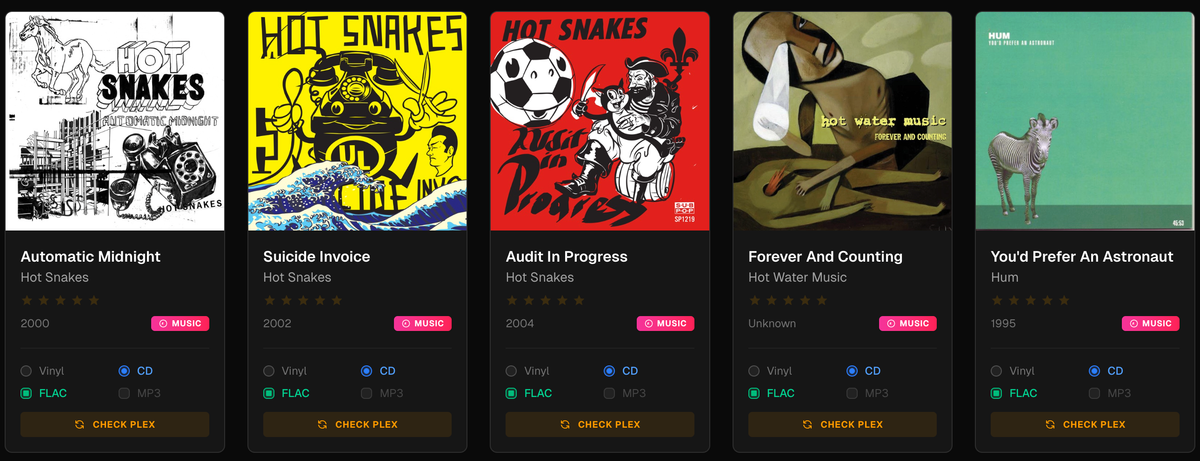
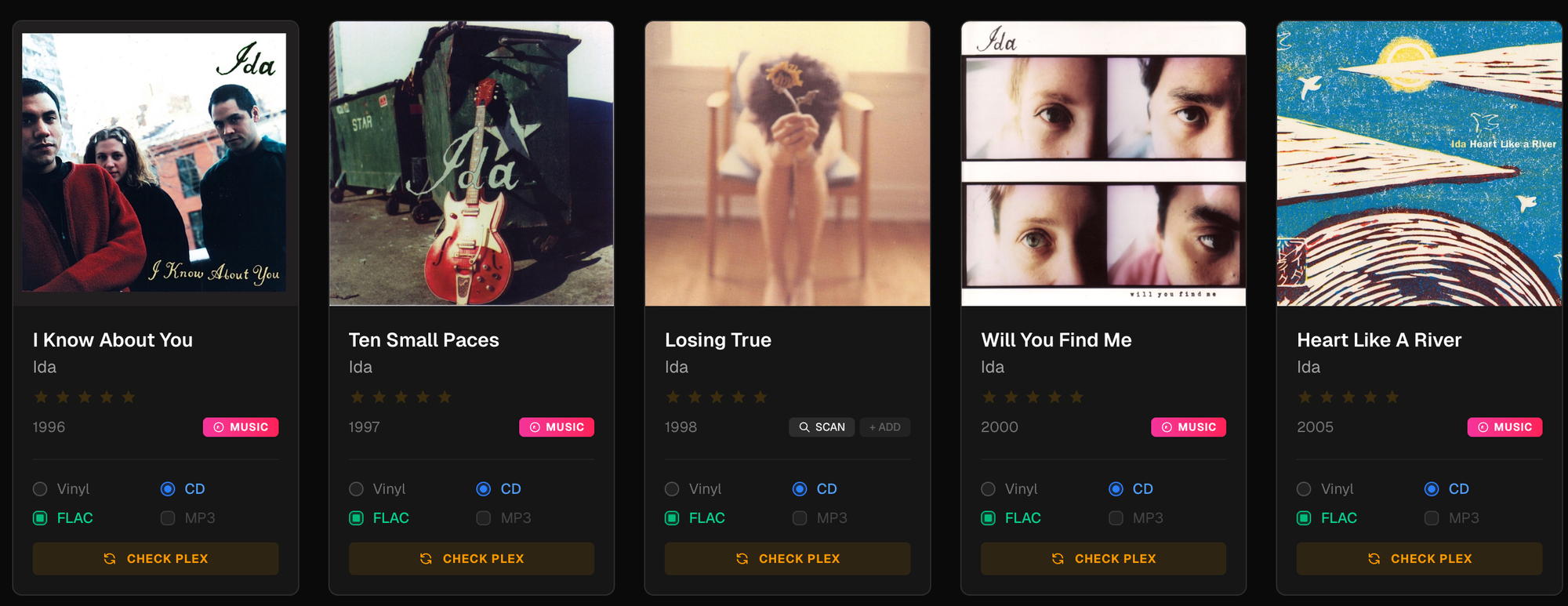
I'm not using a developer account, the app does a search through web request to see if the album is available to stream on Apple Music. If found, it links it and colors the "Music" box on the card red. As needed I can also link manually as often it can't find the album even though it exists on Apple Music. This has been a nice side benefit as I can revisit my library digitally pretty quickly without digging through Plex. As noted below, I can't find Ida - Losing True on Apple Music.
Future Fix: Maybe an API / developer integration so the matching happens more reliably.
Do I Have a Version in my Digital Collection
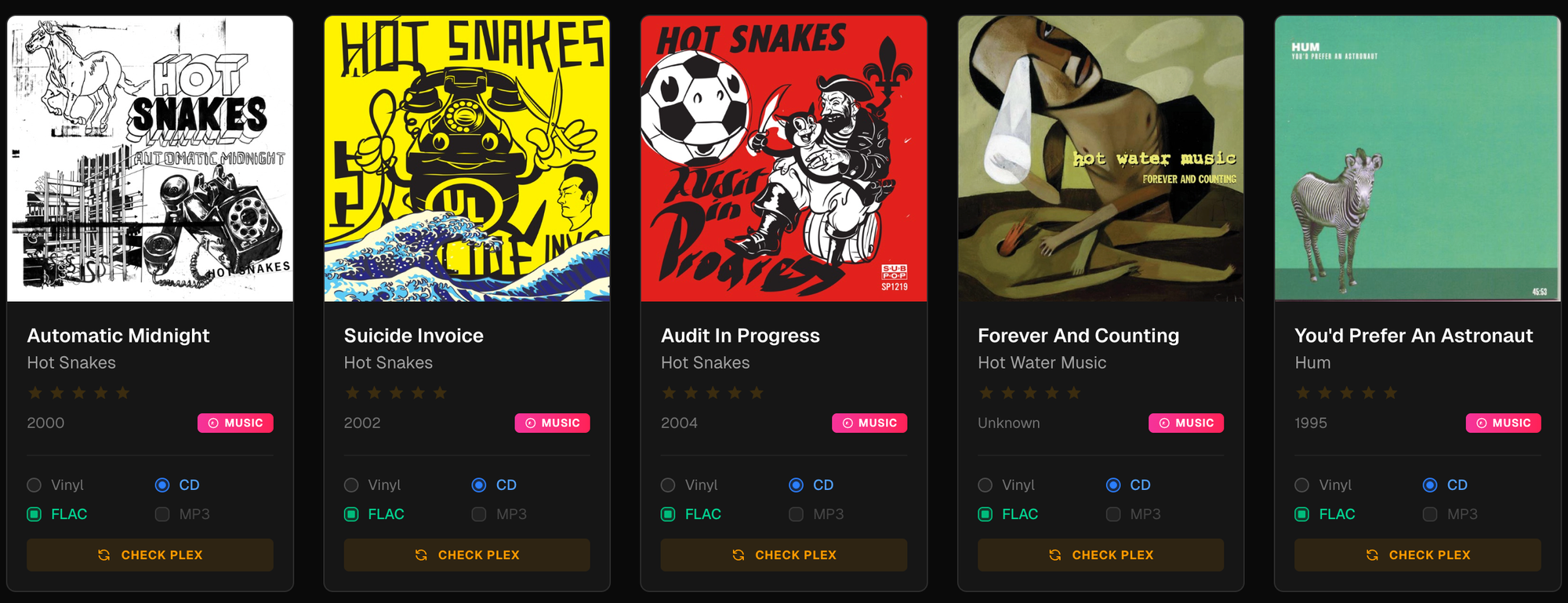
Using my Plex library and API, I can run a sync that checks my catalog against Plex metadata to see whether I have FLAC or MP3 versions of an album. Based on what it finds, it marks the corresponding boxes on the card. If I already know I have the files, I can also check these manually.
This has been one of the more frustrating parts so far. There are albums I know I have that aren’t always detected correctly, and re-running a global sync sometimes overwrote manual changes. After a lot of trial and error, I landed on a better approach: a per album “Check Plex” button. This lets me verify file formats and sync star ratings on demand instead of relying solely on a full library pass.
It’s still a work in progress, but this setup is much more reliable and feels manageable now, especially for spot checking and fixing edge cases as I go.
Can I Update Album Art
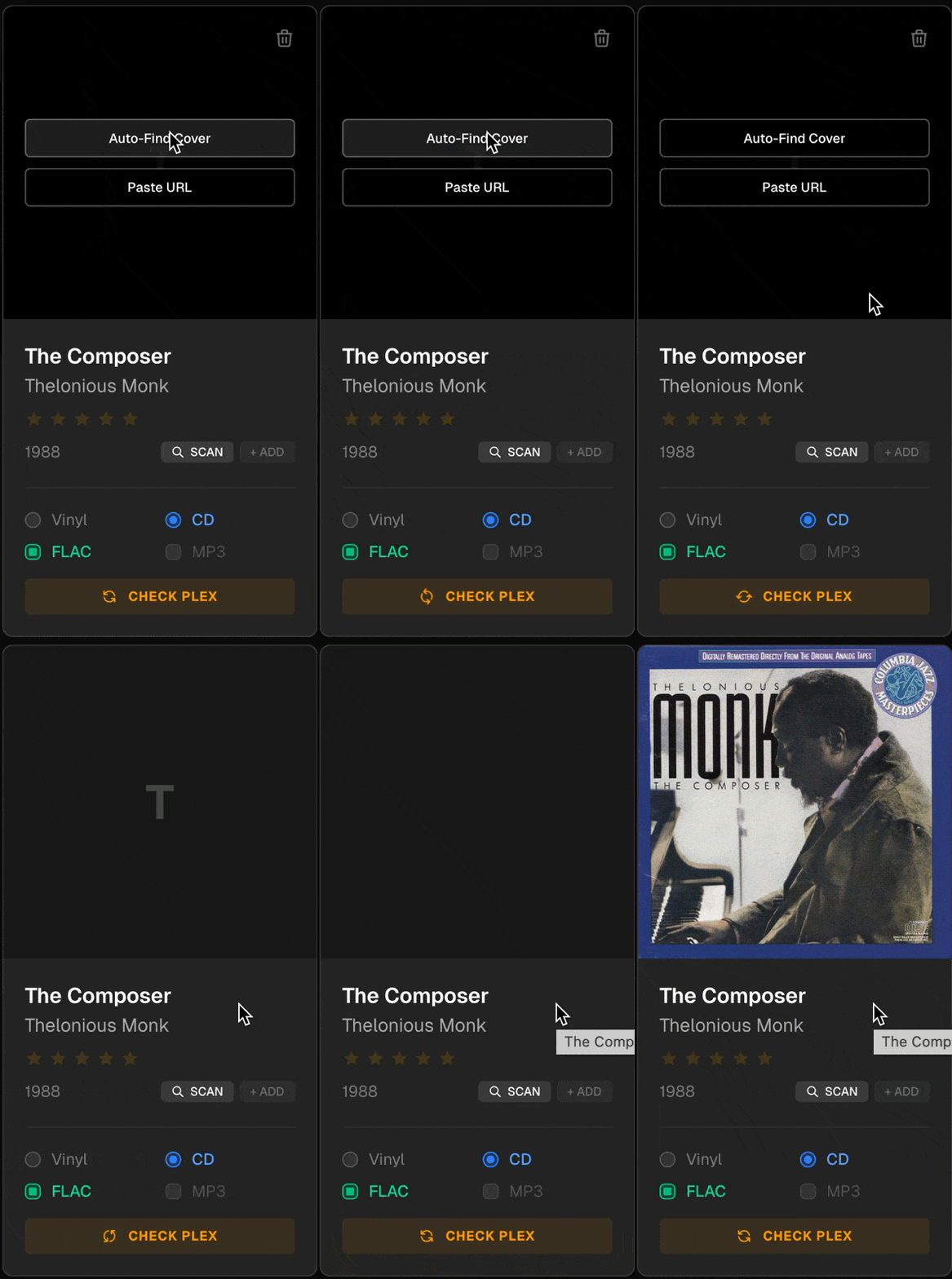
The imports pull in without album art and there are a few options for me to add it. If the album is synced to Apple Music, it will pull in the album art from there (so it seems). I can also run a different finder and link it from Music Brainz. Last but not least I can link it manually if I need to. Can't stand having empty album art boxes, I'm a visual person.
Can I Sync Album Ratings with Plex
After a lot of back and forth arguing with Antigravity, this is working! Now I can rate my music in my catalog and assuming it has found it within Plex, it will update the rating there too. It's a two way street and I can update either way!
Next
I ran the importer and it added new music without too many problems. I only noticed one override which I was easily able to fix. What else is next:
- More reliable Plex syncing. Right now I have a global sync and a per album sync as needed. I've had to add a lot of rules as sometimes the official name of an album from CLZ may have something like "EP" included where that's left off in my catalog. Spot fixing those as I go.
- Adding genre to the cards and filters
- Improving the visualization in case I want more cards per row
- Setting it up so I can access it when I'm not at home
- Pull in albums from Plex that I have only digitally with no physical copies
- Switch to XML over CSV?